Advanced Testing Strategies
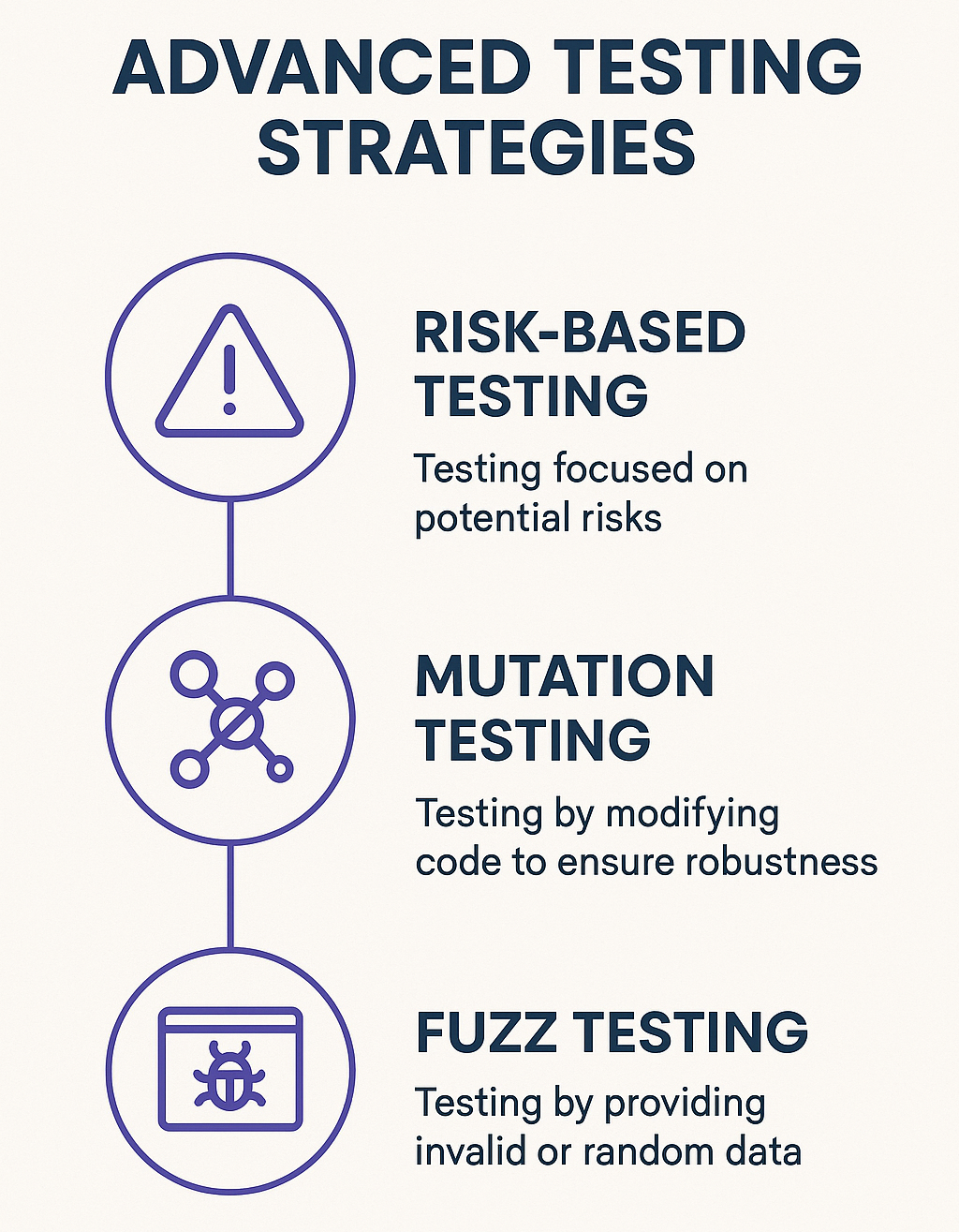
- When dealing with advanced testing strategies, we focus on techniques that go beyond traditional test case execution. These include Risk-Based Testing, Mutation Testing, and Fuzz Testing, each serving a unique purpose in improving software quality and reliability.
Risk-Based Testing (RBT)
Definition
- Risk-Based Testing (RBT) is a strategic testing approach where testing efforts are prioritized based on risk assessment. It ensures that high-risk areas of an application are tested more thoroughly than lower-risk areas, optimizing resources and reducing failure probability in critical functionalities.
Key Concepts
-
Risk Assessment - Identify potential risks using factors like business impact, complexity, and past defect trends.
-
Prioritization - Test cases are executed in order of risk level. Critical functionalities are tested first.
-
Test Optimization - Ensures efficient resource allocation and maximizes defect detection with minimal effort.
When to Use
-
When time and resources are limited.
-
For applications with critical functionalities. ie: Financial software and Healthcare applications.
-
In Agile and DevOps environments where continuous testing is required.
Example
- In an e-commerce system, the Checkout Process is high risk due to its financial transactions, while the About Us page is low risk. Risk-Based Testing ensures more testing efforts go into the Checkout Process.
Key Aspects
Risk Identification
-
This step involves identifying risks associated with the software.
-
Risks can be:
-
Business risks. ie: Financial transactions and Regulatory compliance.
-
Technical risks. ie: Complex algorithms and Third-party integrations.
-
Operational risks. ie: Scalability and System downtime.
-
-
For an online banking system, risks may include:
-
High Risk - Fund transfers, user authentication, and account balance calculations.
-
Medium Risk - Transaction history retrieval, and report generation.
-
Low Risk - UI elements like dashboard layout, and color themes.
-
Risk Analysis and Prioritization
- Each identified risk is quantified based on the likelihood of failure ie: How probable is it? and the impact of failure ie: How severe is it?
Risk Matrix
-
Helps categorize test priorities.
-
For example an E-commerce Platform, a payment gateway failure is high priority, while a minor UI misalignment in the product page is low priority.
| Risk Level | Probability | Impact | Priority |
|---|---|---|---|
| High | High | High | Critical |
| Medium | Medium | High / Medium | Moderate |
| Low | Low | Low | Low |
Test Strategy Selection
- Based on risk priority, different testing strategies are applied:
| Risk Level | Testing Approach | Example |
|---|---|---|
| High | Comprehensive testing. ie: Unit, Functional, Performance, and Security testing. | Payment gateway, User authentication |
| Medium | Functional and Integration testing | Product catalog and Cart management |
| Low | UI and exploratory testing | Newsletter signup and Footer links |
Test Planning and Execution
-
Allocate resources efficiently. ie: More tests for high-risk features.
-
Automation for frequent high-risk tests. ie: Login, Security, and Transactions.
-
Exploratory testing for unpredictable risks. ie: UI glitches.
Healthcare app Test Strategy
| Risk | Feature | Test Type |
|---|---|---|
| Critical risk | Patient data storage and access | Automated security and penetration tests. |
| Medium risk | Appointment scheduling bugs | Functional and Integration tests. |
| Low risk | UI theme selection | Exploratory and Manual tests. |
Risk Mitigation and Monitoring
-
Continuously assess risks as new features may introduce new risks.
-
Re-evaluate test priorities after updates or major changes.
-
Maintain risk logs to track defects and their resolutions.
Benefits of Risk-Based Testing
-
Optimized Resource Allocation - More testing where failures are costly.
-
Faster Time-to-Market - Focuses on high-impact areas, reducing redundant tests.
-
Improved Software Quality - Higher probability of catching critical defects.
-
Cost-Effective - Avoids unnecessary testing in low-risk areas.
Risk-Based Testing in a Banking Application
- Scenario
- Risk Analysis and Prioritization
- Test Considerations
- A bank is launching a new mobile banking app.
| Feature | Probability of Failure | Impact | Risk Level |
|---|---|---|---|
| Login and Authentication | High | High | Critical |
| Money Transfer | Medium | High | Moderate |
| Transaction History | Low | Medium | Low |
| UI / Theme Customization | Low | Low | Negligible |
Critical risk (Login, Transfers) - Perform Penetration, Security API and Performance testing.
Moderate risk (Transaction history) - Functional and Integration testing.
Low risk (UI / Theme) - Manual UI testing.
Mutation Testing
Definition
- Mutation Testing is a technique where small changes (mutations) are introduced into the code, and the effectiveness of test cases is measured based on their ability to detect these changes. The effectiveness of unit tests are tested by intentionally introducing small changes (mutants) in the code and checking if the tests would pass or fail.
Key Concepts
-
Mutants - Modified versions of the original code with small changes ie: Replacing > with <.
-
Mutation Score - Measures the percentage of mutants detected by the test suite.
-
Strong vs. Weak Mutation:
-
Strong Mutation - Checks if the test fails due to the mutation.
-
Weak Mutation - Checks if the mutated code affects program execution but may not necessarily cause test failure.
-
When to Use
-
To evaluate and improve test coverage.
-
When you need confidence in the robustness of unit tests.
-
In TDD (Test-Driven Development) environments to ensure meaningful test cases.
Example
- If we have a function:
  public int add(int a, int b) {
    return a + b;
  }
- A mutation test might change it to:
  public int add(int a, int b) {
     return a - b;
  }
- If the test suite does not fail, it indicates a weakness in the test cases.
Key Aspects
-
If a test fails due to the introduced change, then Mutation is killed (Good Test).
-
If a test passes even after mutation, then Mutation survives (Weak Test or Missing Test Case).
Why Use Mutation Testing
-
Measures the quality of test cases by ensuring they catch real bugs.
-
Helps uncover untested logic, weak assertions, and redundant code.
-
Identifies areas where test coverage is misleading (High coverage but poor tests).
How Mutation Testing Works
-
Generate Mutants - Modify the original code slightly. ie: Changing operators or Conditions.
-
Run Unit Tests - Execute existing test cases against the mutated code.
-
Analyze Results:
-
If a test detects the change, the mutation is "killed" = Good test.
-
If a test doesn’t detect the change, the mutation "survives" = Weak test.
-
Types of Mutations (Mutation Operators)
- Mutations are categorized based on code changes:
Arithmetic Operator Mutations
// Original Code:
int sum = a + b;

// Mutant:
int sum = a - b; // '+' changed to '-'
Conditional Operator Mutations
// Original Code:
if (x > 10) { ... }

// Mutant:
if (x >= 10) { ... } // '>' changed to '>='
Logical Operator Mutations
// Original Code:
if (a && b) { ... }

// Mutant:
if (a || b) { ... } // '&&' changed to '||'
Return Value Mutations
// Original Code:
return 0;

// Mutant:
return 1; // Changed return value
Statement Deletion Mutations
Original Code:
System.out.println("Logging event");

Mutant:
// System.out.println("Logging event"); // Line deleted via comment
Mutation Testing Tools
Where is Mutation Testing Used
-
Safety-Critical Systems (Healthcare, Aviation)
-
Financial Applications (Risk Assessment, Fraud Detection)
-
API Development (Ensuring Strong Contracts)
Limitations of Mutation Testing
-
Computationally Expensive - Running thousands of mutants takes time.
-
False Positives - Some mutations may be meaningless or redundant.
-
Requires Strong Unit Tests - Weak test suites won’t detect good mutants.
Fuzz Testing
Definition
- Fuzz Testing (or Fuzzing) is an automated testing technique that injects random, malformed, or unexpected inputs into a program to uncover security vulnerabilities, crashes, and unexpected behavior.
Key Concepts
-
Fuzzers - Tools that generate random or malformed input. ie:: AFL Burp Suite Intruder.
-
Crash Detection - Identifies security vulnerabilities, buffer overflows, and unexpected behaviors.
-
Automated and Scalable - Can be run continuously with minimal human intervention.
When to Use
-
For security testing, especially in web applications, APIs, and network services.
-
When testing input validation mechanisms in critical applications.
-
In penetration testing to simulate real-world attack scenarios.
Example
If an API expects
{
  "username": "john_doe",
  "password": "securePass123"
}
A fuzz test might send
{
  "username": "<script>alert('Hacked')</script>",
  "password": "12345678"
}
If the system does not properly sanitize inputs, it could lead to XSS or SQL Injection vulnerabilities.
Key Aspects of Fuzz Testing
- The goal of fuzz testing is to Identify hidden bugs, security flaws, and performance issues on APIs, Web Applications, File Parsers, Network Protocols, and Databases.
How Fuzz Testing Works
-
Input Generation - A fuzzer creates random or malformed inputs based on predefined patterns.
-
Execution - The system processes the inputs, and its behavior is monitored.
-
Error Detection - If the program crashes, shows unexpected behavior, or security issues arise, the fuzzer logs them.
-
Analysis - Developers analyze the logs to fix vulnerabilities.
Types of Fuzz Testing
-
Mutation-Based Fuzzing - Takes valid inputs and modifies them (e.g., changing characters, truncating, injecting symbols).
- Example - Mutating a valid JSON request by adding invalid characters or missing fields.
-
Generation-Based Fuzzing - Creates inputs from scratch based on protocols, formats, or grammars.
- Example - Generating malformed SQL queries to find SQL injection vulnerabilities.
-
Coverage-Guided Fuzzing - Uses code coverage analysis to generate inputs that explore untested parts of the program.
- Example - Google's AFL (American Fuzzy Lop) finds deep logic errors in C/C++ programs.
Fuzz Testing in Action
- Example 1
- Example 2
- Example 3
- Fuzzing an API with OWASP ZAP. OWASP ZAP is a popular security testing tool that supports fuzzing. Use OWASP ZAP's "Fuzzer" to send thousands of such malformed inputs and identify security flaws.
Scenario - Testing an API that expects JSON input.
Valid Request:
{
  "username": "john_doe",
  "password": "Secure@123"
}
Fuzzed Requests:
{
  "username": "john_doe",
  "password": "' OR '1'='1" // SQL Injection
}

{
  "username": "!@#$%^&\*", // Special characters
  "password": "12345"
}

{
  "username": 123456, // Numeric instead of string
  "password": null
}
- Fuzzing a Web Form with Burp Suite, use Burp Suite's Intruder to automate this testing.
Scenario: Fuzzing an email input field. A login form requires an email:
<input type="email" name="user_email" />
A fuzzer sends malformed emails:
test@example // missing .com
<script>
  alert(1);
</script>
(XSS attempt)
user' OR 1=1 (SQL Injection)
𝓊𝓃𝒾𝒸𝑜𝒹𝑒@𝑒𝓍𝒶𝓂𝓅𝓁𝑒.com (Unicode attack)
- Fuzz Testing a File Parser, a fuzzer would try thousands of variations to detect crashes.
Scenario: A program processes XML files.
Valid XML:
<user>
  <name>John</name>
  <age>30</age>
</user>
Fuzzed Inputs:
<user>
  <!-- Missing closing tag -->
  <name>John
  <age>30</age>
</user>

<user>
  <!-- Unicode attack -->
  <name>𝒥𝑜𝒽𝓃</name>
  <!-- Integer overflow -->
  <age>9999999999999999999</age>
</user>
Tools for Fuzz Testing
-
AFL (American Fuzzy Lop) - C/C++, Binary fuzzing.
-
LibFuzzer - C/C++, Integrated into Clang.
-
OWASP ZAP - Web applications and APIs.
-
Burp Suite - Web penetration testing.
-
Boofuzz - Network protocol fuzzing.
-
SQLMap - SQL Injection fuzzing.
-
Radamsa - General-purpose fuzzer.
Why Use Fuzz Testing
-
Finds hidden security vulnerabilities. ie: Buffer overflows and SQL injections.
-
Automates unexpected input testing.
-
Effective for complex, unstructured data inputs.
-
Enhances application robustness and security.
Module Review
Click to start the definition to term matching quiz
Click to start the multiple choice quiz
Score: : 0 / 20 [0.00 %]
Question 1 of 20: What does a 'Mutation Score' measure in Mutation Testing?